
Full CDC semantics land in the Iceberg output for Redpanda Connect
Your lakehouse mirrors the database, instantly.

.png)
How to feed analytics systems from Redpanda using clean, compressed Parquet files in S3








So far, we’ve covered how to export streaming data from Redpanda into S3 using JSON: first as individual files, then as efficient batches. But when it comes to analytical workloads, JSON can only take you so far.
If you’re planning to run queries with Apache Spark™, load data into Athena, or build dashboards that scan millions of rows, you’ll want something built for the job.
That’s where Apache Parquet comes in. Parquet is a binary, columnar format designed for analytics. It compresses well, loads quickly, and works with most data tooling out of the box.
Redpanda Connect can directly encode your streaming data into Parquet files. This lets you have a single data stream in Redpanda that serves multiple purposes — like JSON for web applications and Parquet for data analytics.
In part four of this S3 series, we’ll walk through:
Assuming you’ve been following this series, you should have already deployed a Redpanda Serverless cluster and created a topic called clean-users. (If not, see part one on Bringing Data from S3 into Redpanda Serverless before continuing).
If you’re a visual learner, watch this short video to see how it’s done.
To follow along step-by-step, read on.
From within the context of your cluster, deploy this example Redpanda Connect YAML configuration as a Redpanda Connect pipeline. This config reads messages from Redpanda, batches them, and writes the results into compressed .parquet files. You'll need to update the input and output sections according to your own settings.
input:
  redpanda:
    seed_brokers:
      - ${REDPANDA_BROKERS}
    topics:
      - clean-users
    consumer_group: s3_consumer_parquet
    tls:
      enabled: true
    sasl:
      - mechanism: SCRAM-SHA-256
        username: ${secrets.REDPANDA_CLOUD_SASL_USERNAME}
        password: ${secrets.REDPANDA_CLOUD_SASL_PASSWORD}

output:
  aws_s3:
    bucket: brobe-rpcn-output
    region: us-east-1
    tags:
      rpcn-pipeline: rp-to-s3-parquet
    credentials:
      id: ${secrets.AWS_ACCESS_KEY_ID}
      secret: ${secrets.AWS_SECRET_ACCESS_KEY}
    path: batch_view/${!counter()}-${!timestamp_unix_nano()}.parquet
    batching:
      count: 6
      processors:
        - parquet_encode:
            schema:
              - name: user_id
                type: INT64
              - name: ssn
                type: BOOLEAN
              - name: timestamp
                type: BYTE_ARRAY
              - name: action
                type: UTF8
            default_compression: zstd
The key feature here is the parquet_encode processor within the batching section:
parquet_encode.schema: This is essential! You need to define the schema of your data, specifying the name and data type for each field as it should appear in the Parquet file. This ensures your data is correctly structured and optimized. default_compression: zstd: Zstd is a great compression algorithm that balances performance and compression, saving on storage costs.Your clean-users data will now be landing in S3 as highly efficient Parquet files.
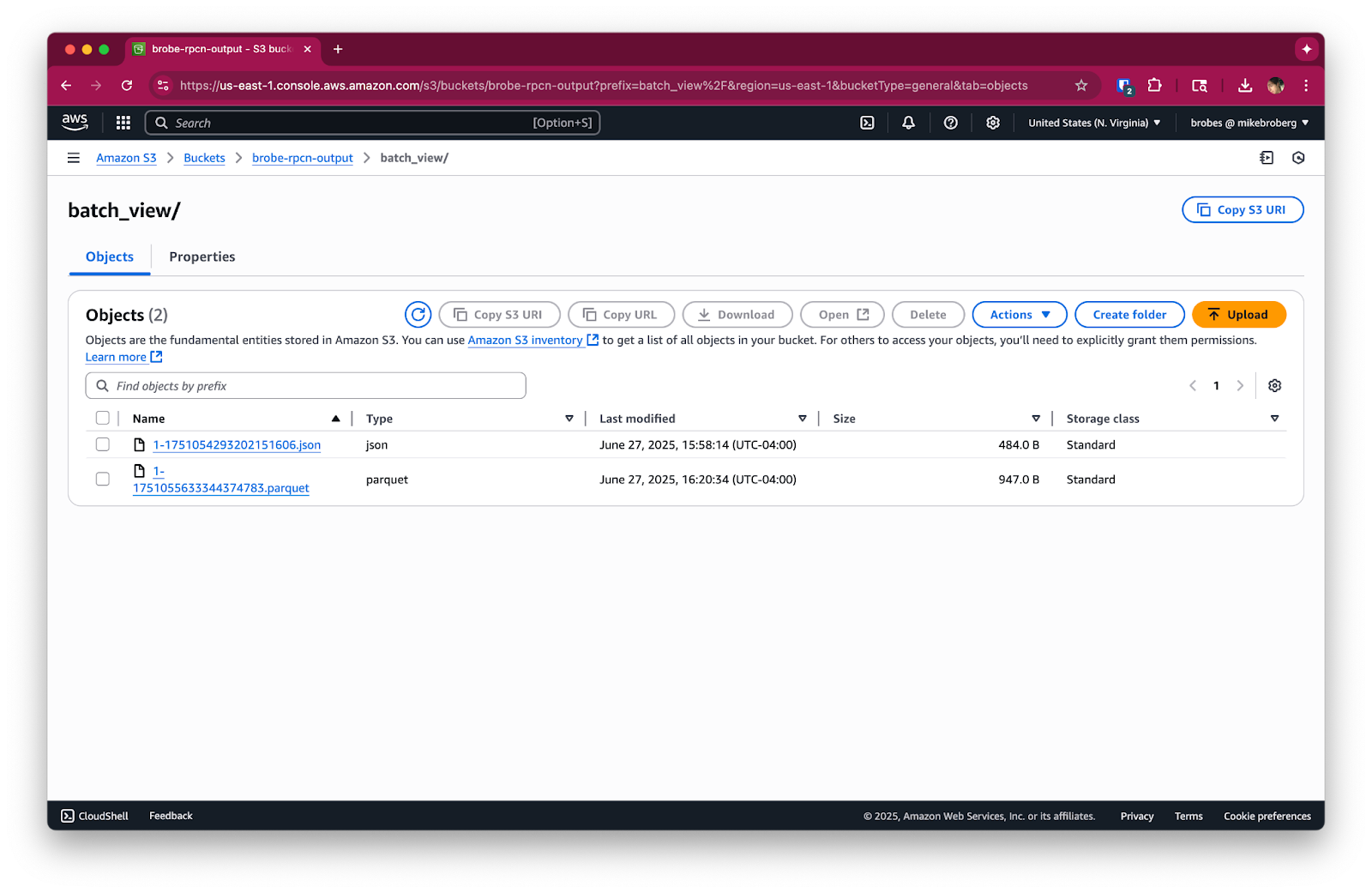
Since Parquet is a binary format, you’ll need to query it with tools like Pandas (no relation to Redpanda, sadly), Spark, or even Athena directly.

And voilá! That’s all you need to do.
Since this pipeline continuously listens to a Redpanda topic, it will keep running until you stop it. To avoid any unneeded charges, please be sure to stop any running Redpanda Connect pipelines and delete your Redpanda streaming topic when you're done using them. If this was a test, you might want to clean up unused files in S3.
If you’re running this in production, adjust batching.count or add a period timer in production to balance latency and throughput.
You’ve now got a powerful way to feed analytics systems from Redpanda using clean, compressed Parquet files in S3. However, how do you trigger pipelines automatically when new data arrives? Or build event-driven workflows that respond in real time?
In the next (and final) post of our S3 series, we explore how to integrate SQS and S3 notifications to build event-driven pipelines that respond as soon as new data lands. Here's the full series so you know what's ahead:
In the meantime, if you have questions about this series, hop into the Redpanda Community on Slack and ask away.
Subscribe to our VIP (very important panda) mailing list to pounce on the latest blogs, surprise announcements, and community events!
Opt out anytime.