Full CDC semantics land in the Iceberg output for Redpanda Connect
Your lakehouse mirrors the database, instantly.


Start developing on Iceberg with a single script








Using Redpanda is famously simple. You can install rpk, spin up a development container, and get started with connectors faster than brewing your coffee. Wouldn’t it be great to have that same simplicity when developing with features like Iceberg Topics? Features that need external systems, such as an object store?
Well, now you can.
In this blog post, we show you how to set up a local Iceberg Development Environment so you can try the latest capabilities of Redpanda from the comfort of your own Kubernetes (K8s).
Efficiency is a core value at Redpanda. We built a simpler experience for Apache Kafka® users in terms of both development and operations, as well as making the broker itself as efficient as possible. We then introduced Redpanda Connect so that you can integrate your preferred sources, sinks, and processors with little to no code — writing data up to twice as fast as Kafka Connect.
With the release of Iceberg Topics, we’re applying that same philosophy of efficiency to the integration between streaming and analytics, by having Redpanda manage the flow of data into Iceberg — Iceberg-as-a-Service, if you like — making it one less thing for you to manage.
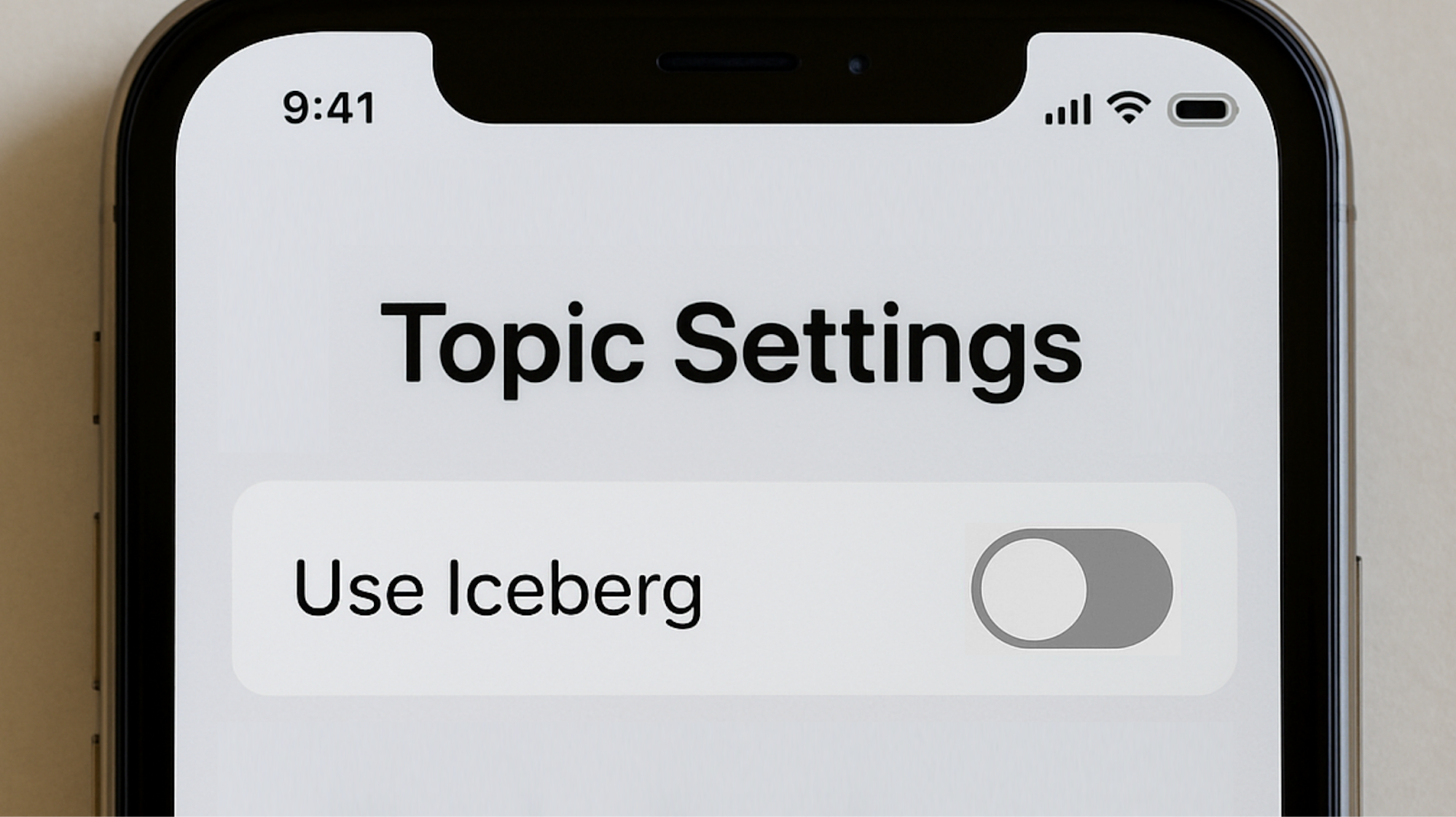
Once the initial integration is complete, the per-topic effort (simply setting a topic configuration setting to enable writing to Iceberg) is embarrassingly low, allowing you to scale further and faster.
The project sets up a self-contained development platform, combining:
These components create a full end-to-end flow without external cloud services. You can create Redpanda topics, configure the Iceberg settings on them, produce data, watch that flow through to Iceberg tables, and see how that can be queried. All with zero ETL!
The project is available on GitHub. It uses subprojects, so be sure to use --recurse-submodules to make sure you pull in Polaris. (It’ll also pull in Chocolate Doom, but that’s entirely optional.)
git clone --recurse-submodules https://github.com/redpanda-data-blog/demos-iceberg-topicsIn the project root, you’ll find a single script (setup.sh) to deploy everything. This is the script that creates namespaces, installs, and configures everything you need. Once that completes, you’ll have Redpanda, Polaris, Minio, and DuckDB all available inside your cluster (each in separate namespaces).
Note: If you’re using a shared Kubernetes cluster, we recommend editing the config file before you start. This lets you control what namespaces are used.
While these demos are simply to show Iceberg Topics in action, you could just as easily use the environment as a launchpad for developing your own data pipelines.
To show the Iceberg tables in action, the GitHub repo includes three demos. For each demo, simply follow the actions that have been helpfully divided into numbered steps.
To run these demos without a hitch, you’ll need the following:
You’ll also need network access for your cluster to pull images, but once it’s up and running, there are no other dependencies. For building Chocolate Doom (again, this is optional — but fun), take a look at that project’s build instructions.
Now for the good part. Here's a video on setting up Redpanda on Iceberg.
Now, you can go ahead and check out the three demos:
1. An “Avro + schema ID” example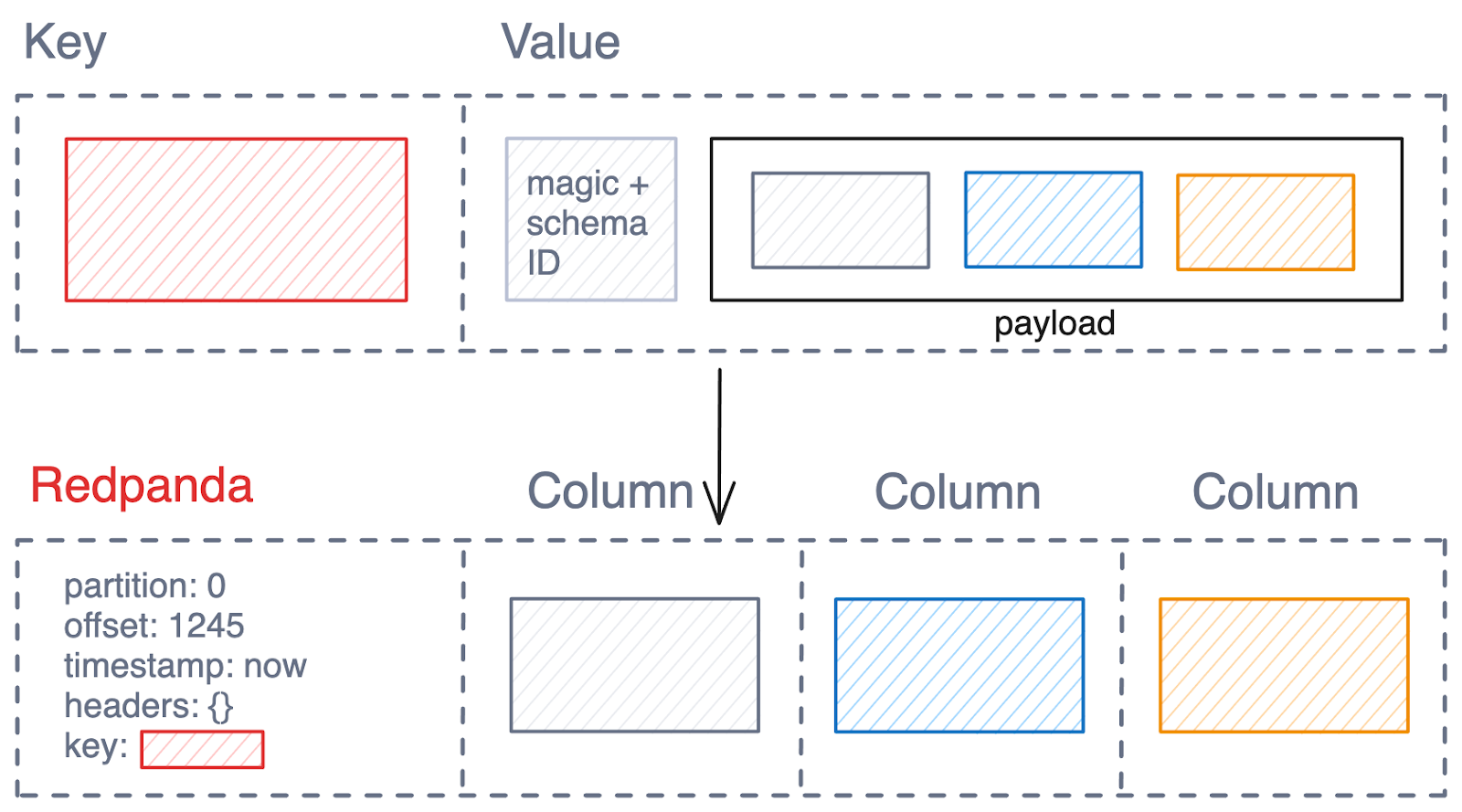
This demo shows how Avro messages (that have a Schema Registry published schema) are handled. The upstream schema (which could also be Protobuf or JSON, not just Avro) is fully converted into an Iceberg schema, allowing SQL users to access the data columns in full, expressive SQL — no opaque BLOBs here!
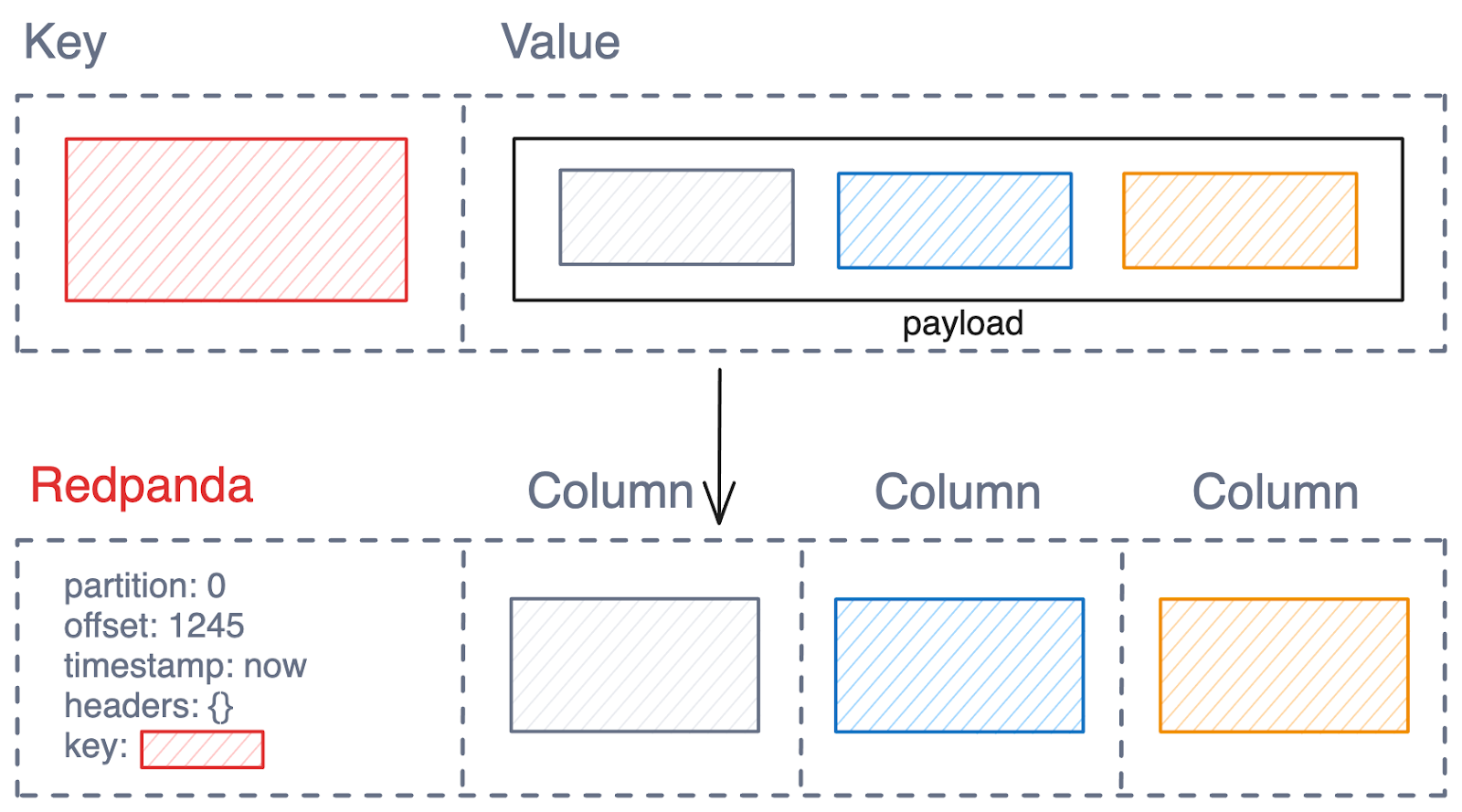
This demo highlights the “latest schema” mode, allowing Avro, Protobuf, or JSON-based topics to be converted into Iceberg, even if the messages don’t include a Schema ID (though the schema still needs to be registered). The example shows the classic Doom game in action, which publishes telemetry in JSON. (If gaming isn’t your thing, you can simply load in a pre-created telemetry sample.)
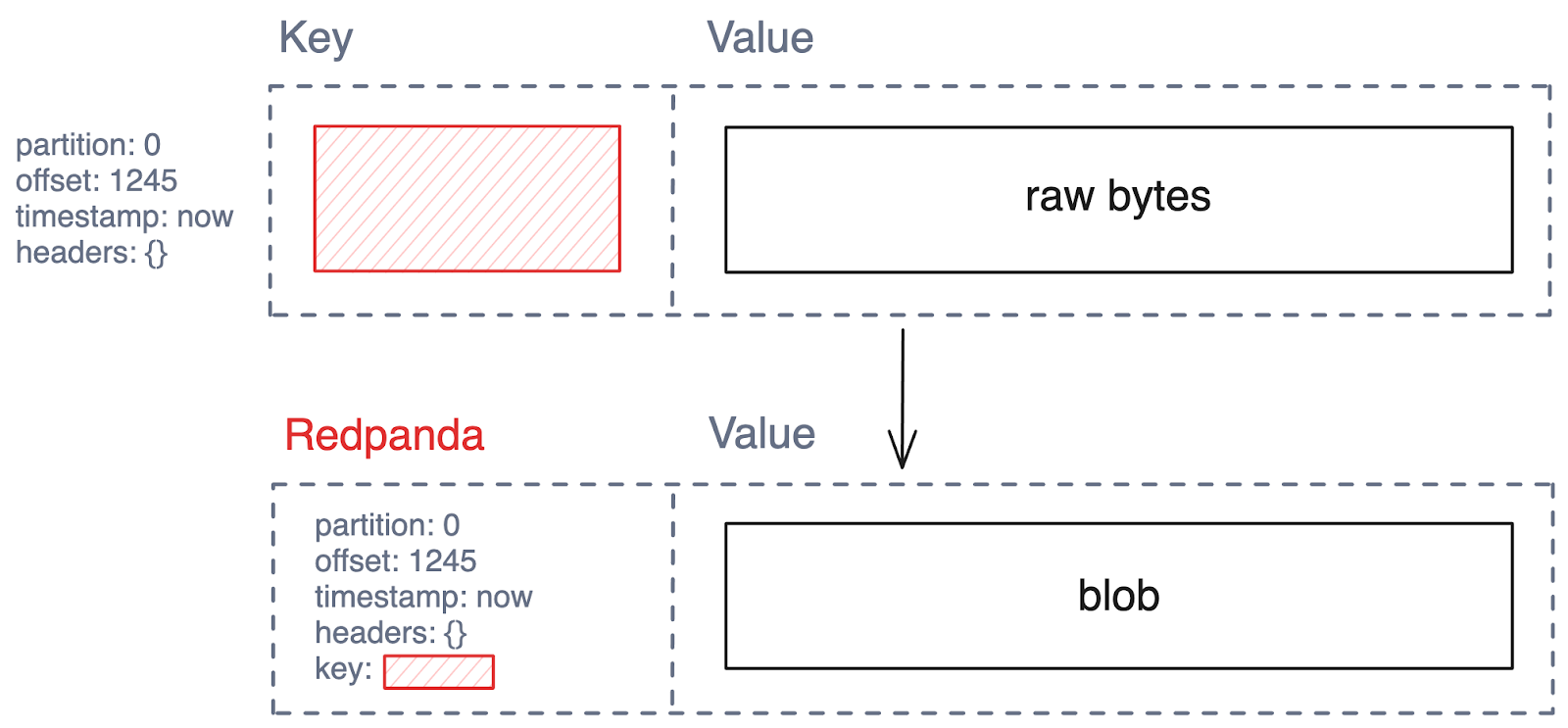
This demo shows how messages from any Redpanda topic can always be stored in an Iceberg table — even for topics without a schema — by writing the messages into a single BLOB column. This is less user-friendly than the schema options shown above, but it has the advantage of always being possible.
Redpanda and Iceberg make an unbeatable combination that enables you to stream data into your analytical world with unparalleled ease. Getting started is just as easy as using it, since we built a local development platform that gets you going with just a single script.
Give it a try and let us know what you end up building!
Subscribe to our VIP (very important panda) mailing list to pounce on the latest blogs, surprise announcements, and community events!
Opt out anytime.