
Full CDC semantics land in the Iceberg output for Redpanda Connect
Your lakehouse mirrors the database, instantly.

Persist device messages, fan them out through 300+ connectors, and make them queryable








If you’ve ever played with IoT devices or edge sensors, you’ll know MQTT is the go-to protocol. It’s tiny, efficient, and perfect for throwing messages around. But here’s the catch: once those MQTT messages exist — what do you actually do with them?
Some people try using things like NATS, but it falls over at scale. At some point you want to persist that data, move it around, and make it useful outside of just “device A told device B something.”
That’s where Redpanda comes in. Once you drop MQTT data in, it goes from ephemeral to durable. You can replay it, fan it out to other systems, and build real pipelines instead of just one-off message flows.
This is where it gets good:
So, by bridging MQTT into Redpanda, you go from “cool demo messages” to real data pipelines.
Alright, let’s get our hands dirty. The first thing you need is an MQTT data source. I’ll use AWS IoT in this tutorial, but honestly it doesn’t matter — you can use whatever MQTT broker you’ve got lying around.
Check out this quick demo, Streaming AWS IoT Data with MQTT, to learn more.
I won’t spend time walking through AWS IoT setup here, but once you’ve got MQTT messages flowing, the next step is wiring them up to Redpanda and watching them stream into Kafka topics. That’s where the fun really starts.
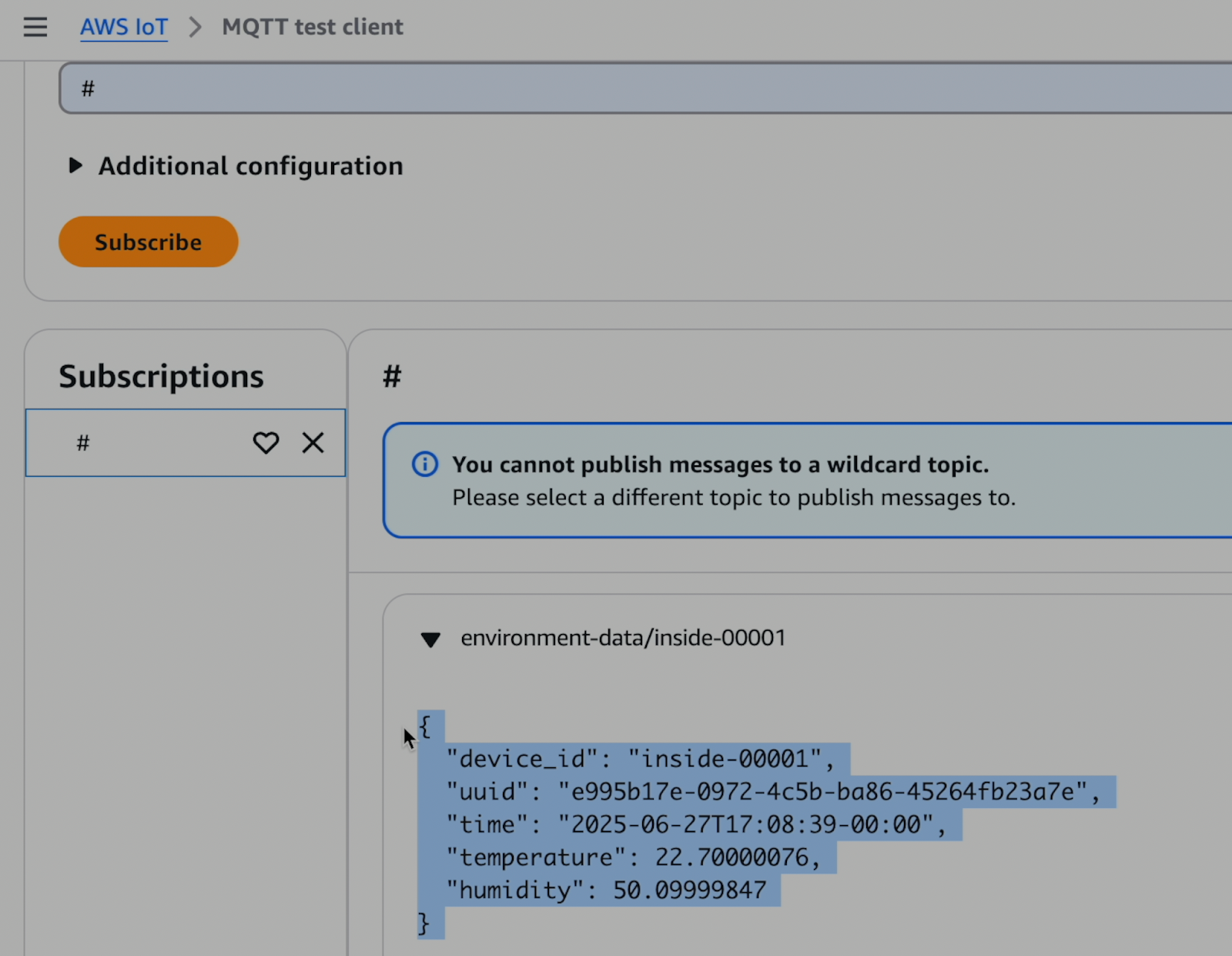
For this tutorial I’ve just set up a MQTT test client in AWS IoT and I have a device sending temperature and humidity data every minute or so.
You’ll also need a Redpanda Serverless cluster to use. The nice part is that, just like AWS IoT, it scales to zero so you only pay for what you actually use. This tutorial will mostly focus on the configuration you’ll need there.
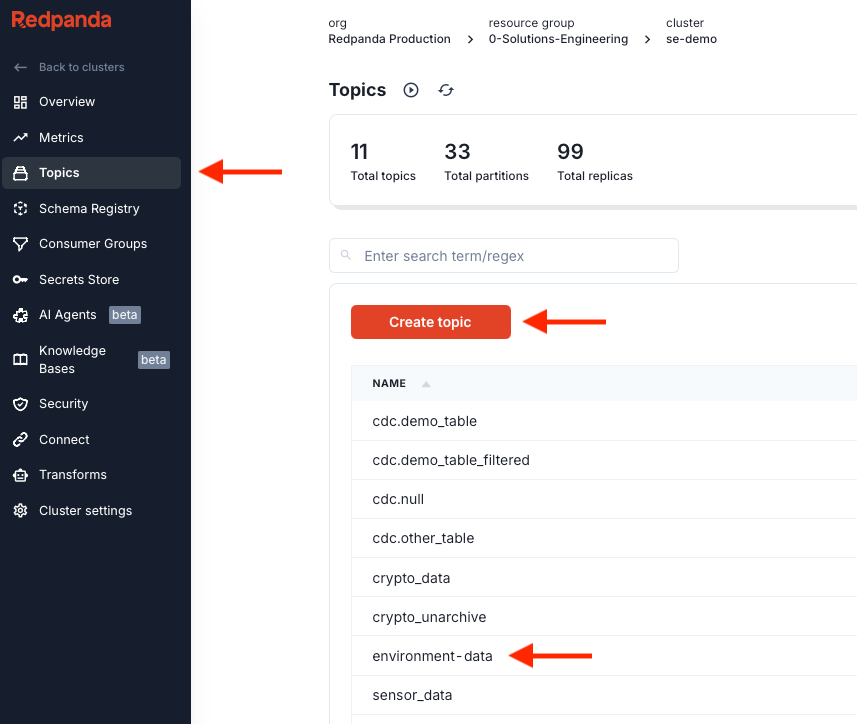
After you’ve deployed a Redpanda Serverless cluster, within it, create a topic called environment-data.
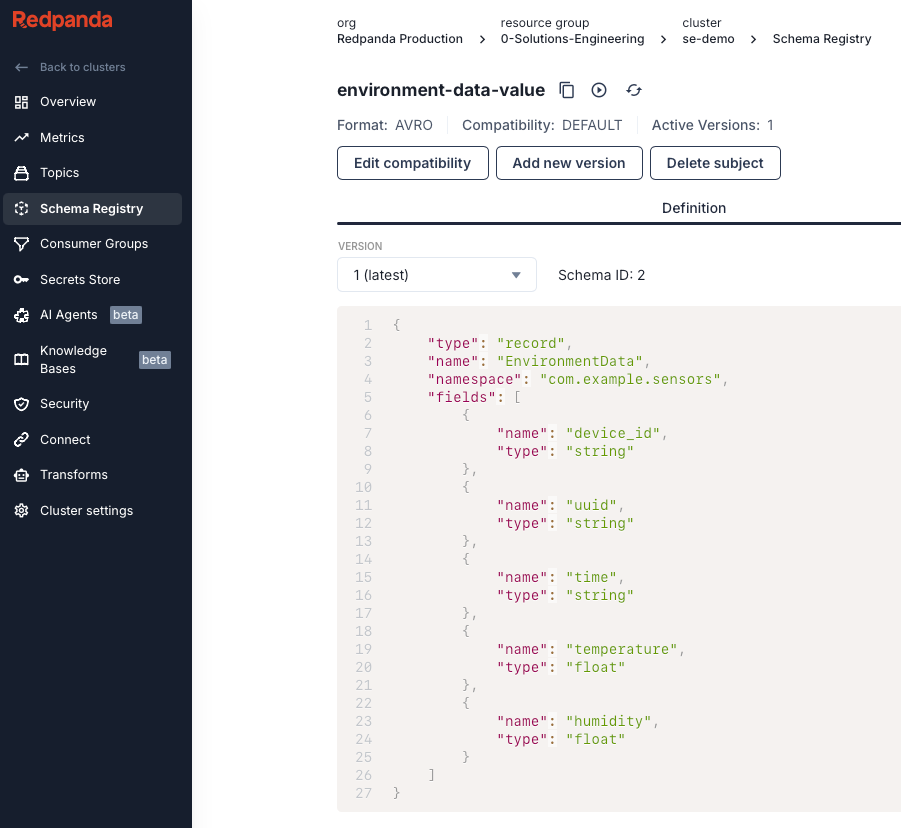
Go to Schema Registry and create a new Schema in the AVRO format named environment-data-value. Set the topic to environment-data. You'll want to create a schema that matches your data. Here’s what I used:
{
    "type": "record",
    "name": "EnvironmentData",
    "namespace": "com.example.sensors",
    "fields": [
        {
            "name": "device_id",
            "type": "string"
        },
        {
            "name": "uuid",
            "type": "string"
        },
        {
            "name": "time",
            "type": "string"
        },
        {
            "name": "temperature",
            "type": "float"
        },
        {
            "name": "humidity",
            "type": "float"
        }
    ]
}
It should look something like this:
Now we need to create a Redpanda Connect pipeline. This is what will listen to our MQTT stream and stream it to our topic so we can do more stuff with it later.
Go to the Connect tab and then click Create Pipeline.
You can name the pipeline whatever you want. You'll need to set your secrets and update the URLs to match your settings in the config. Below is the YAML config I used:
input:
  label: mqtt_in
  mqtt:
    urls:
      - tls://[REPLACE-THIS-URL]-ats.iot.us-west-2.amazonaws.com:8883
    connect_timeout: 30s
    topics: ["#"]
    tls:
      enabled: true
      root_cas: "${secrets.MQTT_DEMO_AWS_ROOT_CA}"
      client_certs:
        - cert: "${secrets.MQTT_DEMO_CERT}"
          key: "${secrets.MQTT_DEMO_KEY}"

pipeline:
  processors:
    - bloblang: |
        meta key = this.device_id
    - schema_registry_encode:
        url: https://schema-registry-[REPLACE-THIS-URL].byoc.prd.cloud.redpanda.com:30081
        subject: environment-data-value
        basic_auth:
          enabled: true
          username: mqtt_demo
          password: ${secrets.MQTT_DEMO_REDPANDA}
        avro_raw_json: true

output:
  label: environment_data_publish
  reject_errored:
    kafka_franz:
      seed_brokers:
        - ${REDPANDA_BROKERS}
      topic: environment-data
      key: ${! meta("key") }
      compression: snappy
      tls:
        enabled: true
      sasl:
        - mechanism: SCRAM-SHA-256
          username: mqtt_demo
          password: ${secrets.MQTT_DEMO_REDPANDA}
Once you’ve created your config, you can start the pipeline.
Our config has three main parts. There's an input section, a processing section, and an output section.
kafka_franz to drop our messages into our Redpanda Cluster. Here’s what our config looks like all set up:
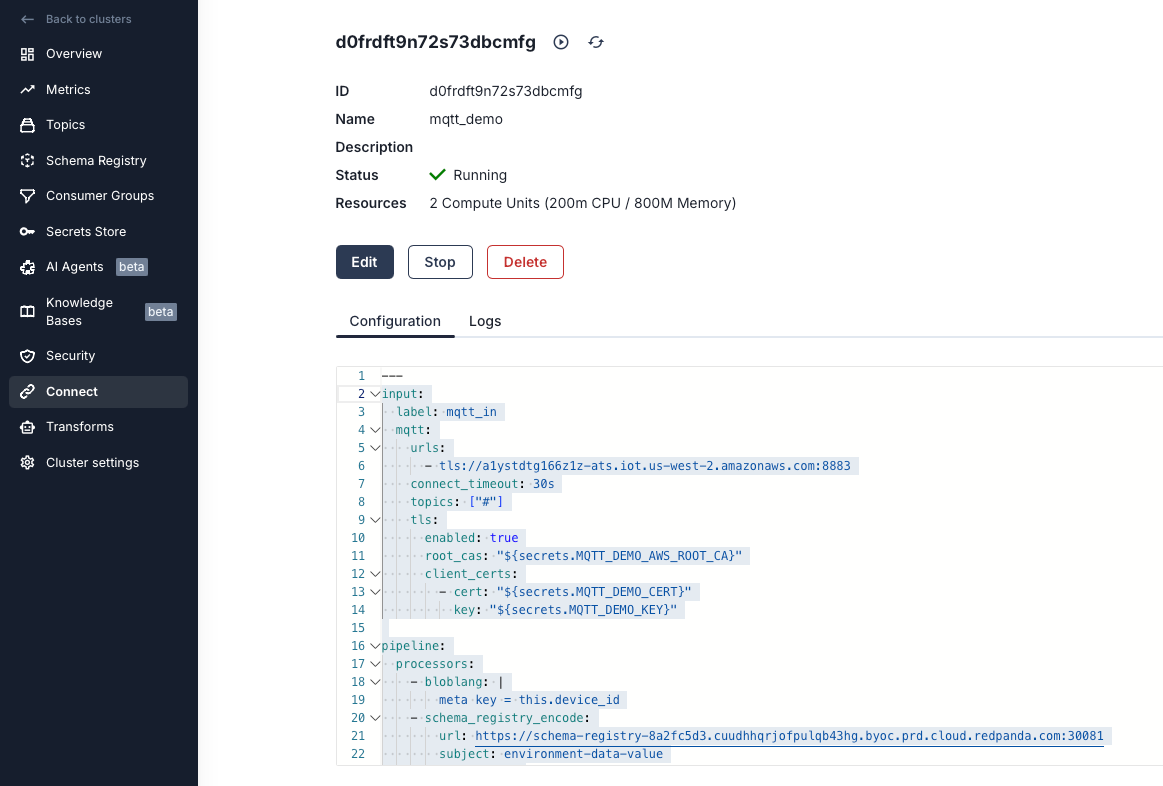
Now let's confirm that we are getting our messages by going to Topics and selecting the environment-data topic. You should see your messages:
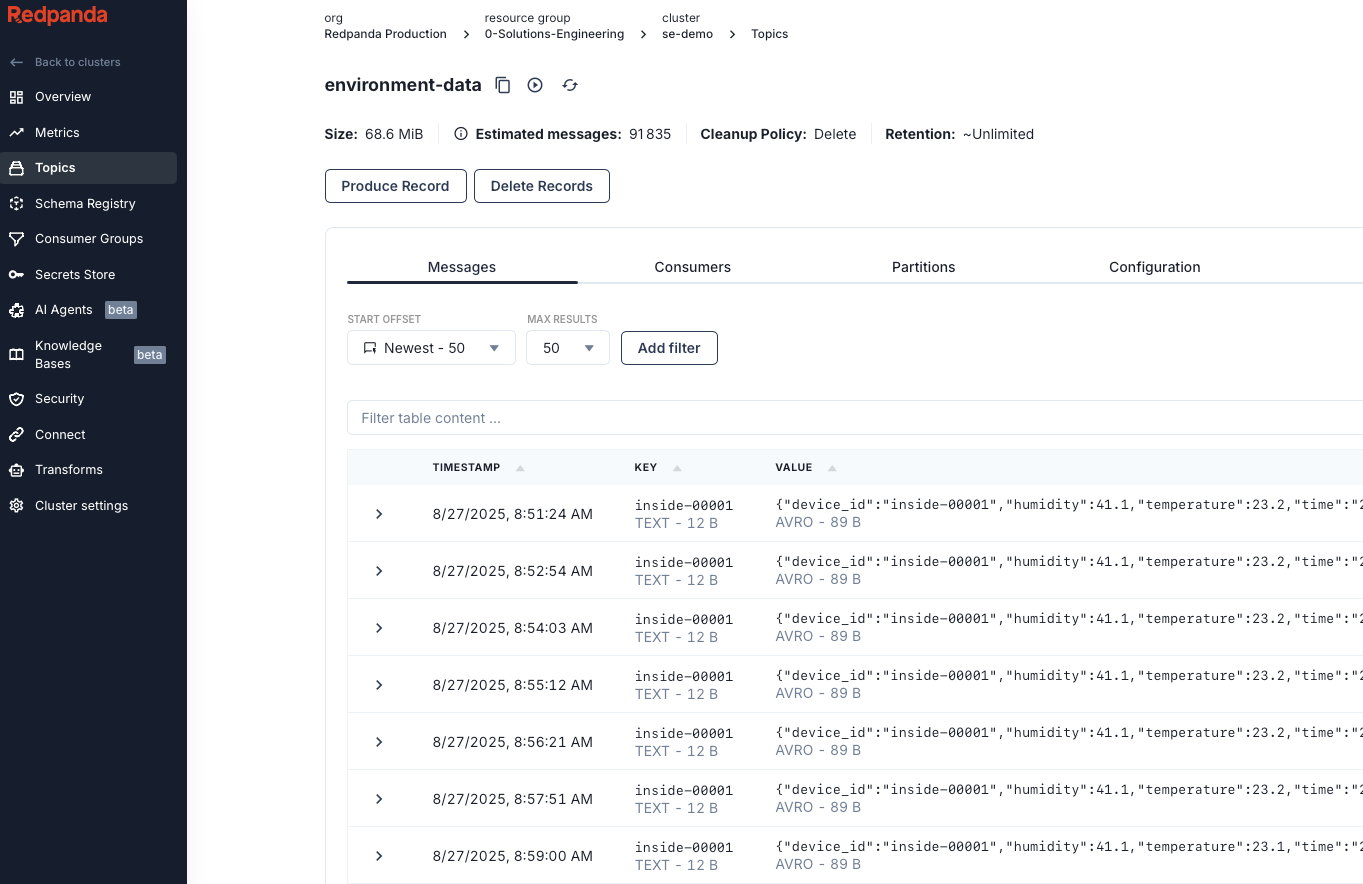
The best way to understand the value is to try it yourself. Spin up a Redpanda cluster in minutes, point your MQTT broker at it, and watch your device data turn into a real, durable pipeline. From there, you can get creative, like wire up a Redpanda Connect job to stream data into Postgres or hydrate a cache for a dashboard and make raw device chatter actionable.
Get started with Redpanda today and see just how far your MQTT data can go. If you have questions, ask me in the Redpanda Community on Slack.
Subscribe to our VIP (very important panda) mailing list to pounce on the latest blogs, surprise announcements, and community events!
Opt out anytime.