

Build an AI agent once and reuse it across teams
How Redpanda Agentic Data Plane keeps IT, HR, and ops agents unified and controlled across reuses

Follow an example p2p payment application to see a simplified CQRS pattern in action








Welcome to the second post in our two-part series about simplifying CQRS with Zilla and Redpanda. In part 1, we took a close look at the Command Query Responsibility Segregation (CQRS) architectural pattern. We covered its underlying concepts as well as the challenges of implementing CQRS.
In Part 2, we’ll demonstrate how Zilla and Redpanda make CQRS much more approachable by way of an example p2p payment application called StreamPay. Let’s dive in!
StreamPay is a p2p payments application that follows the CQRS pattern. In this section, we’ll explain how it all works under the hood. Then, we’ll get into the demo and you can follow along using the StreamPay demo application on GitHub.
For context, the StreamPay demo allows users to:
StreamPay uses a combination of Redpanda and Zilla with event-driven microservices and a Vue.js frontend. Each microservice interacts directly with Redpanda using Kafka Streams, removing the need for any backend web servers.
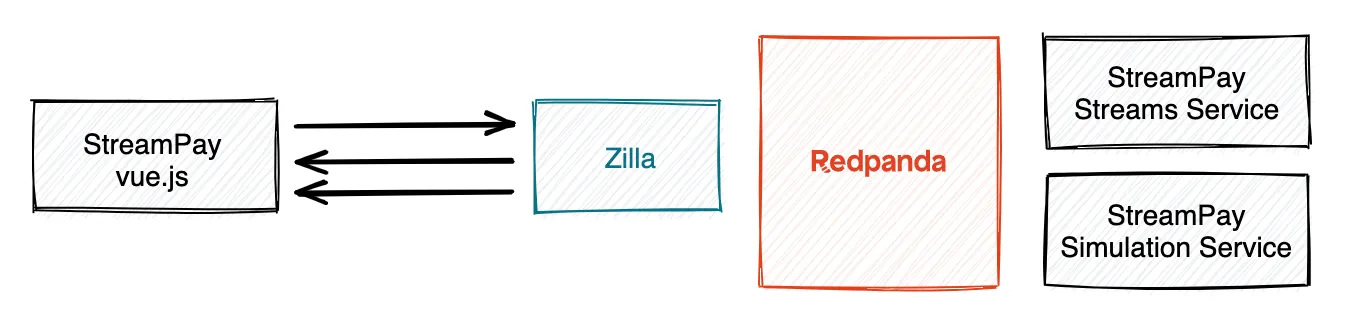
Zilla provides an HTTP API for requesting and making payments, updating current user profile details, and various different streaming SSE APIs to receive continuous updates about overall user activity, received payment requests, and the latest balance.
Redpanda is configured with a commands topic and replies topic for correlated request-response handled by the StreamPay streams service, a log-compacted users topic acting as a users table, and various materialized view topics used to answer queries from the client.
The StreamPay streams service receives and processes commands, sending back correlated replies, while also logging activity events to a Redpanda topic. Analytics are also done in this service, though they could easily be extracted into a separate microservice.
The StreamPay simulation service interacts with the Redpanda topics to introduce virtual users to virtual activity, giving a sense of how StreamPay behaves with many concurrent users, even while running the StreamPay demo application locally.
The StreamPay application sends CQRS commands to the StreamPay streams service by configuring Zilla to map HTTP endpoints to the Redpanda commands topic.
Protocol
Method
Endpoint
Topic
Reply-To
JWT scope
HTTP
POST
/pay
commands
replies
write:pay
HTTP
POST
/request
commands
replies
write:request
When mapping each HTTP POST request to a Kafka message on the Redpanda commands topic, Zilla does the following:
zilla:domain-model message header with the value PayCommand or RequestCommand to let the StreamPay streams service apply the appropriate command type validation.zilla:identity header with that trusted identity so that the StreamPay streams service can securely recognize which end user is requesting or making payment.zilla:correlation-id message header so that the correlated HTTP response can later be sent to the client.When the StreamPay streams service receives the command message, it validates the message to ensure correct format, non-negative payment amount, etc. In the future, most of this validation can be first enforced at Zilla, to fail fast at the edge without needing to propagate such invalid messages, in much the same way that Zilla rejects invalid JWT tokens.
After processing the CQRS command, the StreamPay streams service sends back a Kafka message on the Redpanda replies topic, with the same zilla:correlation-id header name and value as the request. This command reply can represent either success or failure.
Zilla then filters messages from the Redpanda replies topic using the zilla:correlation-id message header value from the CQRS command, delivering the correlated HTTP response to the client.
Zilla lets CQRS queries be served from the edge, defining several query endpoints used by the StreamPay application.
Protocol
Method
Endpoint
Topic
JWT scope
SSE
GET
/activities
activities
read:activities
SSE
GET
/payment-requests
payment-requests
read:payment-requests
SSE
GET
/current-balance
balances
read:balances
SSE
GET
/total-transactions
total-transactions
read:total-transactions
SSE
GET
/average-transactions
average-transactions
read:average-transactions
SSE
GET
/balance-histories
balance-histories
read:balances
Zilla maps each Server-Sent Events stream over HTTP to a Redpanda topic. When the StreamPay user interface opens a new Server-Sent Events query stream, Zilla first checks for a valid JWT token with specific scope privileges to permit the client to access each query stream. Then Zilla delivers all matching messages in the topic to the client, followed by live updates as new messages arrive in Redpanda.
In some cases, such as /current-balance, Zilla extracts the trusted identity from the sub claim of the valid JWT token and applies a header filter to return only current balance changes for the current end user.
To get this demo into gear, you’ll use the following components:
Head over to the StreamPay demo application on GitHub. Start it locally via Docker by following the README, then open https://localhost:9090/ in your browser.
You’ll see a single sign-on login prompt on first access. Log in via Auth0 using Google, LinkedIn, or GitHub. Zilla verifies signed JWT access tokens from Auth0 to establish your trusted identity and confirm your authorized privileges.
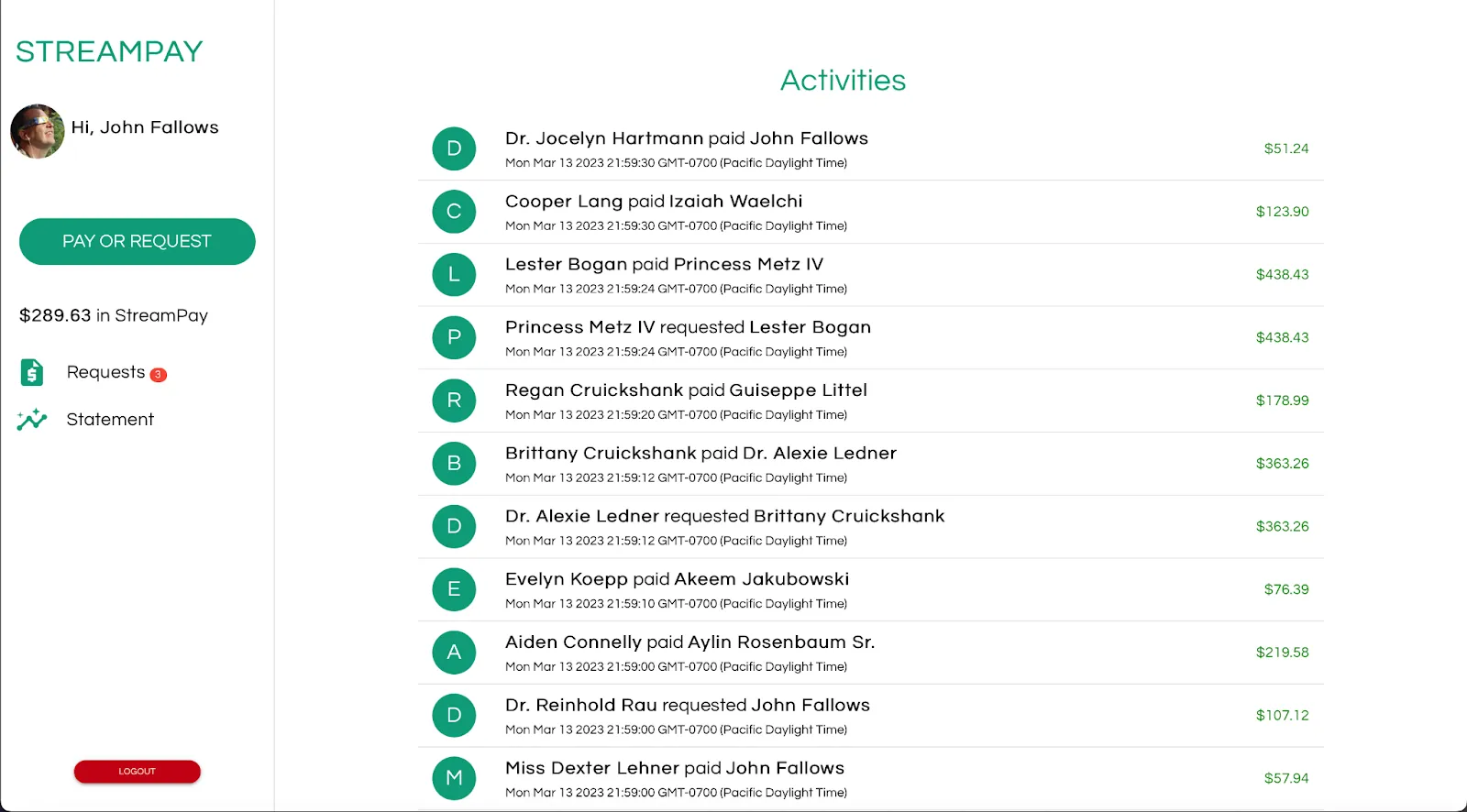
The StreamPay application homepage shows simulated payment activity happening behind the scenes via virtual users. Here you can request payment from or make payment to another user.
Click "Pay or Request" and choose a virtual user to request payment. The virtual users are prompt at paying their debts, so you’ll see the payment request fulfilled almost immediately—if the virtual user already has sufficient virtual funds in their account!
You might also see a badge count on the Requests item, indicating that another user has randomly requested payment. You can select the request to initiate payment to that user, though the payment amount will be limited by your available virtual funds.
While interacting with the StreamPay user interface, you can also watch all the commands being sent to the event-driven "streams" microservice using the Redpanda Console to log messages in the commands topic.
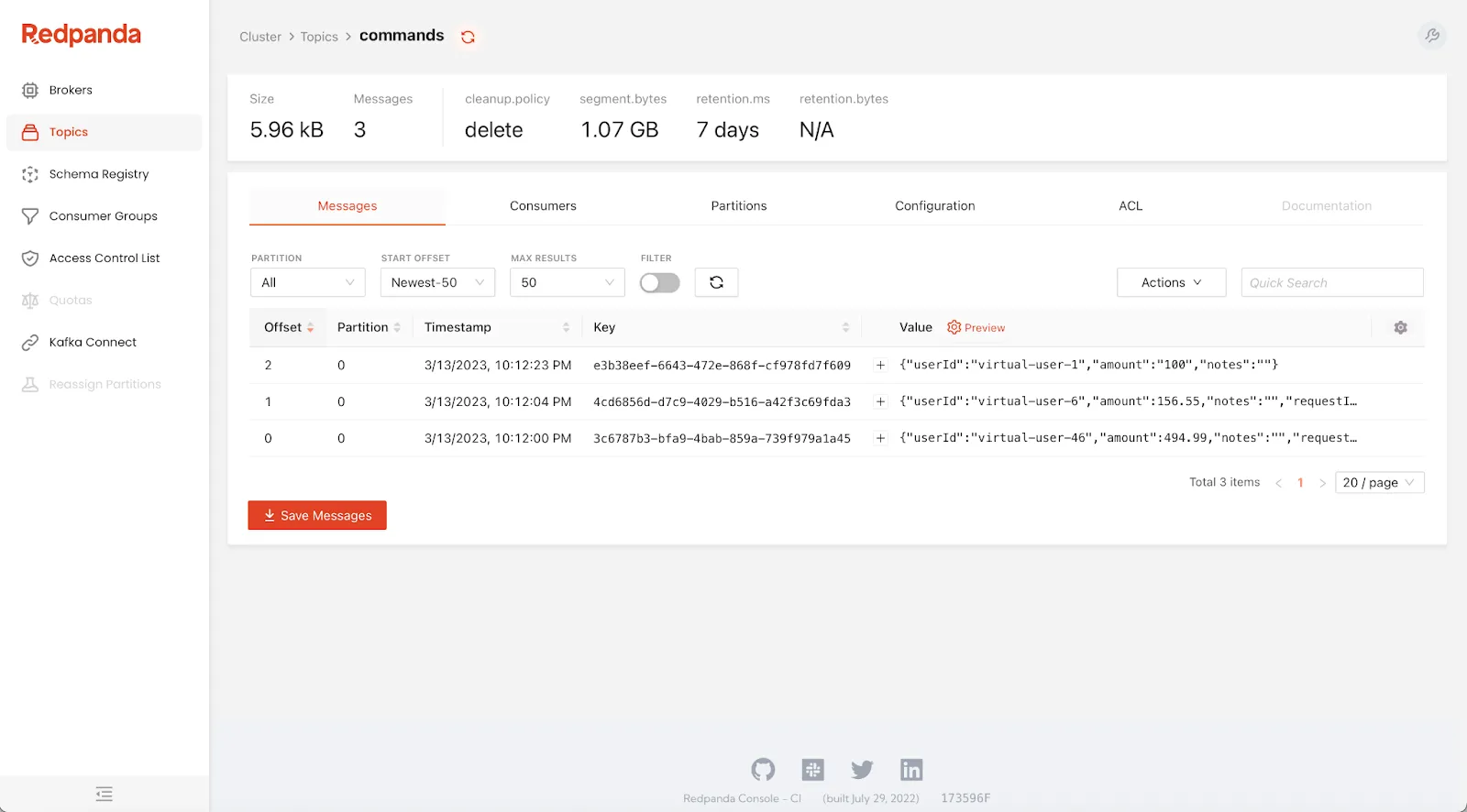
As you continue to interact with the StreamPay user interface, Redpanda Console will log more command messages. In fact, you can observe all the activity in the StreamPay application via Redpanda topics in real time using any Kafka client!
In this two-part series, we highlighted the event-driven nature of the CQRS architectural pattern and showed how CQRS becomes easy and effective with Zilla, Redpanda, and event-driven microservices. With them, you can effortlessly scale and enhance the user experience of your web applications by better representing common events as they happen in the real world—like real-time p2p payments!
To get started, dig into the documentation for Zilla and Redpanda. If you haven't already, try Redpanda for free and browse the Redpanda Blog for step-by-step tutorials. If you get stuck, have a question, or want to chat with the team and fellow Redpanda users, join the Redpanda Community on Slack.
Subscribe to our VIP (very important panda) mailing list to pounce on the latest blogs, surprise announcements, and community events!
Opt out anytime.